Show up on Google when someone nearby needs you.
I run Google search ads, and Local Services Ads where your trade qualifies, so you appear when someone nearby searches for exactly what you do. Every click lands on a page built to book, and every enquiry is tracked back to the search that brought it.
Watch one search turn into a booked job.
Someone searches for a boiler service at 21:12, taps a heating engineer’s ad at the top, books a slot and pays a deposit. The job lands on the board tagged with the search, the texts go out on their own, and the week shows what each booked job cost. A made-up business, so the numbers are illustrative.
Boiler Service in Ealing | Book Online Tonight
Gas Safe engineers covering Ealing and west London. See the real free slots and book in two minutes. Certificate emailed the same day.
From the ad to a booked job.
- They searchSomeone nearby types the job and the area into Google.
- They see your adAbove the results, saying exactly what they searched for.
- They book or callThe page they land on has the free slots and one tap to call.
- You see what it costThe call or booking is recorded against the search that brought it, and lands in your CRM.
What is included?
- Google search ads for the jobs you want, in the area you cover.
- Local Services Ads, where your trade qualifies.
- Searches you do not want excluded, so the budget is not wasted.
- A landing page built to book, matching the search.
- Conversion tracking for calls, enquiries and bookings.
- Every enquiry tagged with the search it came from.
- An ad account in your name, so the spend and the data stay yours.
Search ads or Local Services Ads?
Search ads appear above the results for the searches you choose, and you pay when someone clicks. Local Services Ads sit at the very top with a Google-checked badge, and you pay per enquiry rather than per click, but they are only open to some trades. I check whether yours qualifies first.
Which searches will my ads show for?
The ones that come from people ready to book: your trade, the job and your area, such as boiler repair near me or emergency electrician in your town. Searches for jobs you do not do, or places you do not cover, are excluded, so the budget goes on people you can actually help.
How will I know what it costs per job?
Google Ads conversion tracking and Google Analytics record every enquiry and booking from an ad, including calls. The same enquiries land in your CRM tagged with the search they came from, so you can see what each booked job cost.
Try it on your phone
Live demos with a made-up business. You play the customer, then see what the business sees. About a minute each.
 About a minute · works on your phone
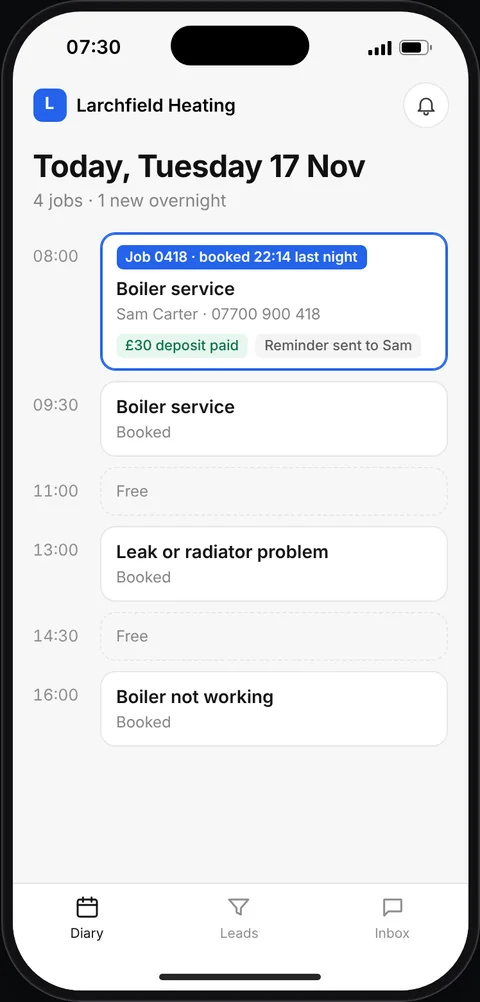
Book and pay a deposit
Book a job on your own website at 10pm, pay the deposit, then find it in your diary the next morning.Try it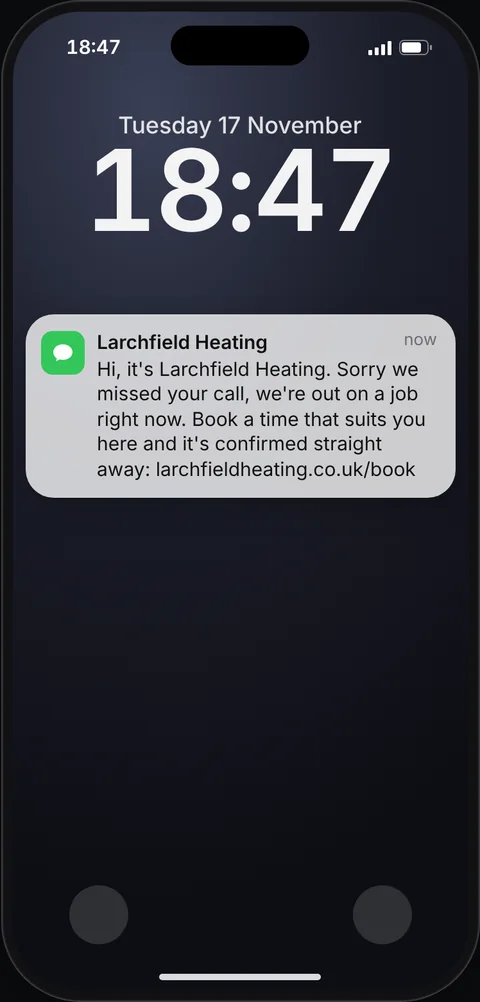 About a minute · works on your phone
Missed call, booked
Call your own business, let it ring out, and watch the text turn into a booking with a deposit.Try itGoogle ads: questions people ask
How much should I spend on Google Ads?
It depends on how competitive your trade is in your area and how many jobs you want. We agree a test budget on the call, the spend goes to Google from your own account, and you can change it at any time.
How quickly do Google Ads work?
Search ads can start showing as soon as Google approves them, so they are the fastest way to appear for searches you are not ranking for yet. Getting the cost per job down takes a few weeks of tuning.
Should I do ads or SEO?
Usually both. Ads bring enquiries while the website earns its place in the normal results, which takes months. Once the site ranks for a search, you can spend less on ads for it.
Can you guarantee the top spot?
No. Where an ad appears depends on the budget, the competition and Google. What you get is a clear view of what each booked job cost.
Who owns the Google Ads account?
You do. It is set up in your name, so the account, the data and the history stay with you.
More in every question, answered.