Booking and a CRM that run the admin for you.
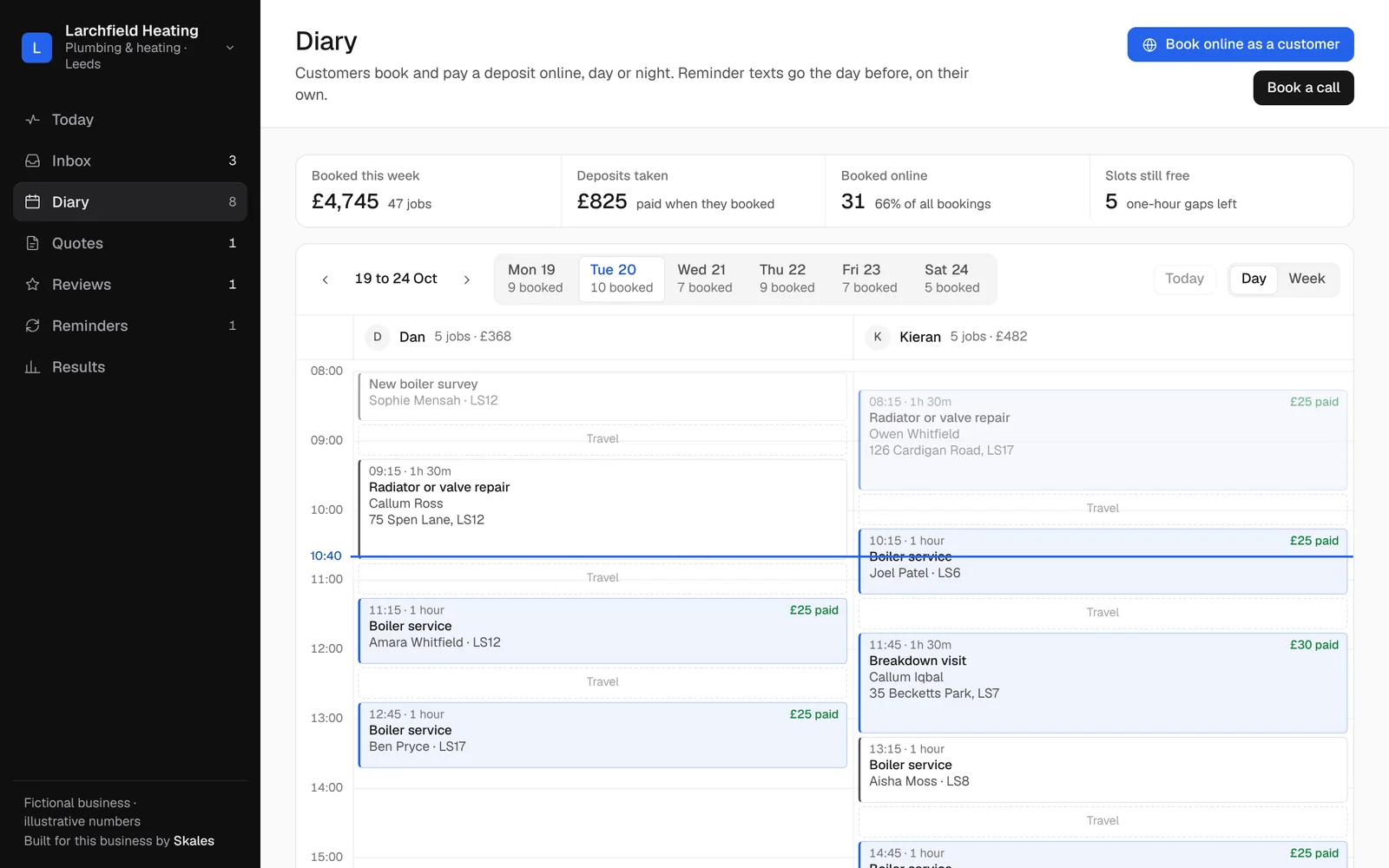
Online booking lets customers take a free slot in your diary and pay a deposit to hold it, at any hour, without ringing you. The CRM puts every enquiry, quote and job on one board, and sends the confirmations, chasers and reminders on its own.
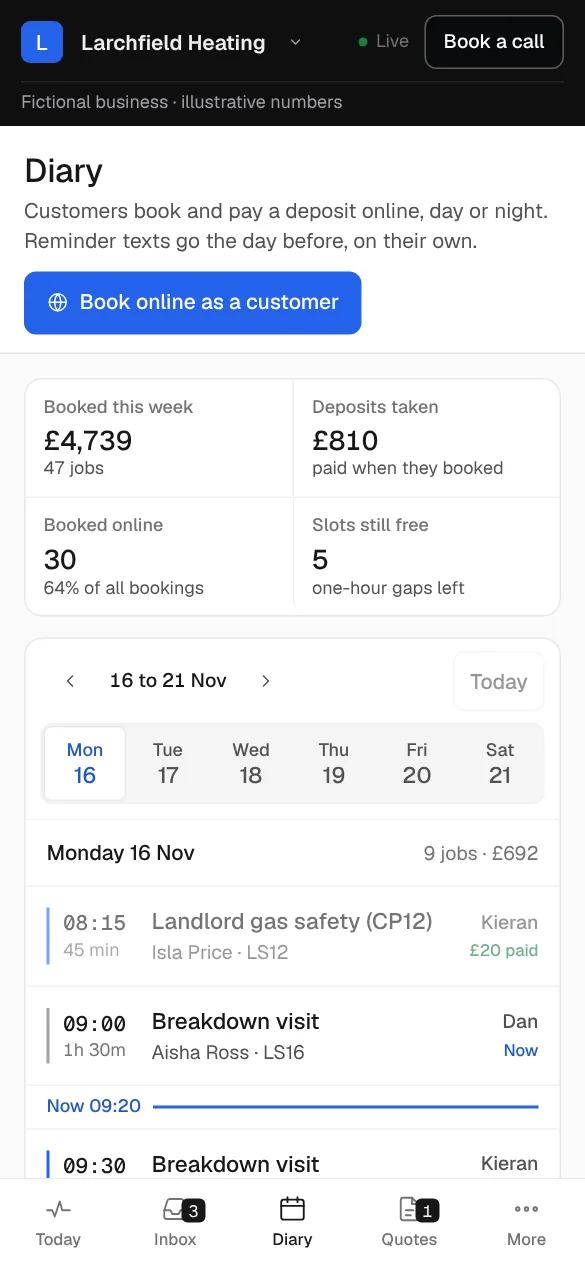
A missed call, booked in two minutes.
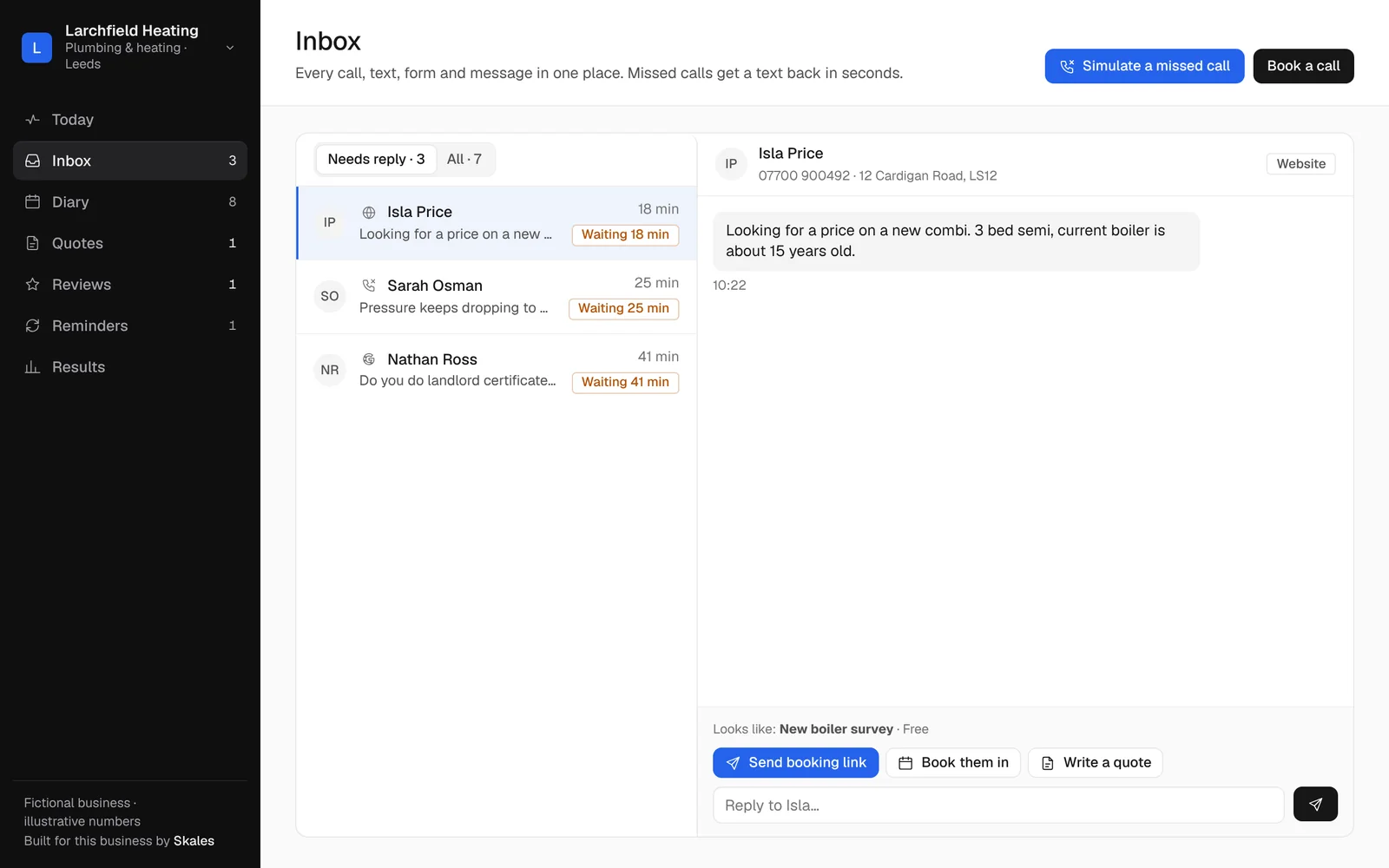
A call rings out at 21:47. The system texts back, the customer books and pays a deposit, and the job lands on the board and in the diary. A made-up business, so the numbers are illustrative.
What is included?
- A booking page on your own website, showing only the slots you really have.
- Deposits taken at booking, for the jobs you choose.
- Confirmation and reminder texts sent automatically.
- One board for every enquiry, quote and job, wherever it came from.
- Quotes chased when they go quiet, on a schedule you set.
- Invoices and review requests sent when a job is marked done.
- Where every enquiry came from, so you know which channel books work.
- No app for your customers to download. It all works in their phone browser.
How does online booking work?
The customer picks the job they need, then a day and a time from the slots you actually have free. Slots that are taken are already gone, so double bookings cannot happen. Where your trade takes a deposit, they pay it by card on the same page.
What does the CRM actually do?
Every enquiry lands on one board, whether it came from your website, a missed call, Google or an ad: Enquiry, Quoted, Booked, Done. Moving a job along sends what should be sent at that stage: the reply, the quote, a chaser if it goes quiet, the confirmation, the reminder, the invoice and the review request.
Why take a deposit?
A booking with money behind it is a booking people keep. The deposit holds the slot, comes off the final bill, and means the time you have set aside is paid for. You choose which jobs take one and how much.
Try it on your phone
Live demos with a made-up business. You play the customer, then see what the business sees. About a minute each.
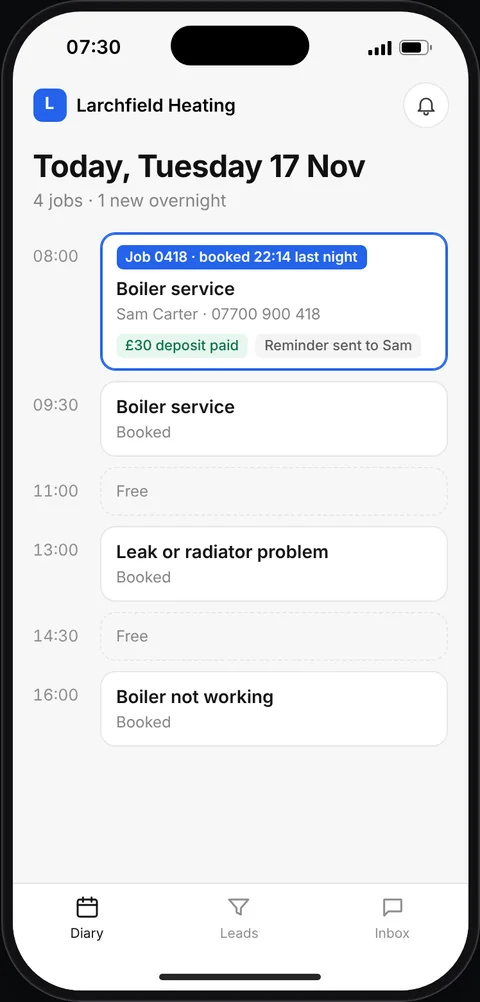 About a minute · works on your phone
Book and pay a deposit
Book a job on your own website at 10pm, pay the deposit, then find it in your diary the next morning.Try it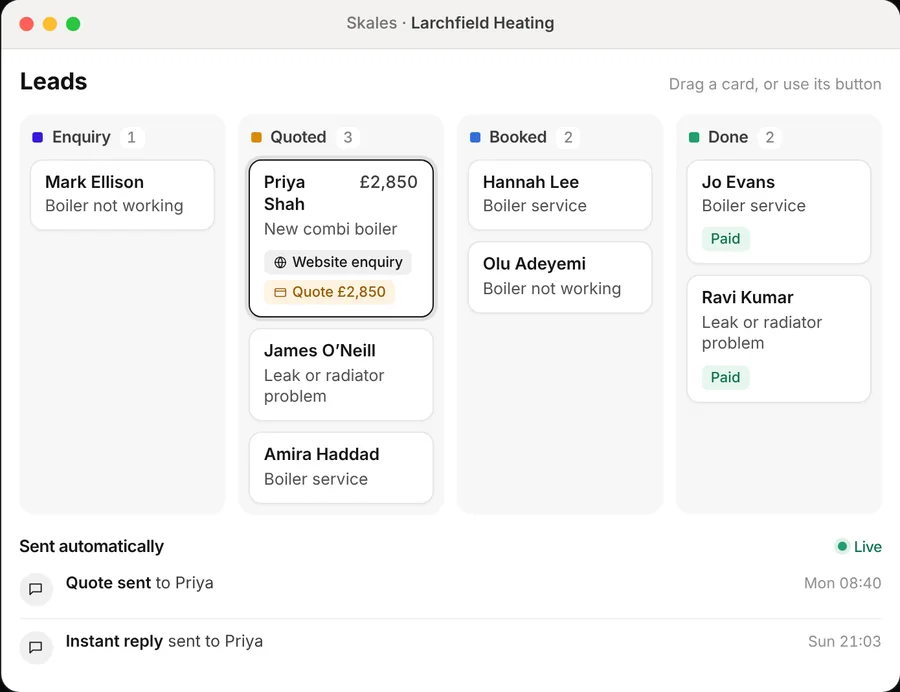 About a minute · works on your phone
The CRM board
Move a lead from enquiry to done and watch the follow-up texts and review request send themselves.Try itThe automations that go with it
Booking deposits
A deposit taken at booking holds the slot and comes off the bill.
How it worksQuote chasing
Quotes that go quiet get a friendly chaser, with a link to accept.
How it worksService reminders
Customers get a text when they are due again: the boiler service, the MOT, the next cut.
How it worksOn-my-way texts
One tap tells the customer you have set off, when you will arrive and who is coming.
How it worksRunning on this site
Working builds for made-up businesses. Open any of them on your phone and use it.
Booking and CRM: questions people ask
Can customers book at night or at weekends?
Yes, that is the point. The booking page shows your free slots at any hour, so a customer who finds you at 10pm books then, instead of meaning to ring you in the morning.
Can two people book the same slot?
No. A slot disappears the moment it is taken, on every device.
Do my customers need to download an app?
No. Booking, paying the deposit and every text they get works in the browser on their phone.
I quote rather than book. Is this still for me?
Yes. The CRM board works the same way for quotes: every enquiry gets a reply, every quote gets chased if it goes quiet, and accepted quotes become booked jobs.
Can I see where my enquiries come from?
Yes. Every enquiry is tagged with where it came from (your website, Google, a missed call, an ad), so you can see which ones turn into booked work.
More in every question, answered.